MAIN MENU MOVED TO THE BOTTOM OF THE BLOG!

ads


Sign up for PayPal and start accepting credit card payments instantly.

Search This Blog

Monday, November 2, 2015

How to Find a Lost Android Smartphone

Published on 26 May 2015 by Digital Trends Get your phone back! Check out these three apps for tracking down your Android phone - and who may have it. Try an of these three apps from the Google Play Store that will help you find a lost Android Smartphone: 


Monday, October 12, 2015

Facebook now officially owns WhatsApp

By Ellis Hamburger on October 6, 2014 10:20 am

Eight months after announcing its intent to acquire messaging giant WhatsApp, the deal has finally gone through. Facebook announced the closing of the deal with the SEC in the United States, and with the European Commission in Europe. Since the deal was announced for $19 billion, its price tag has actually increased to a whopping $21.8 billion. This is in part due to Facebook's rising stock price over the last several months, Recode points out.

As WhatsApp officially joins the Facebook fold, WhatsApp founder Jan Koum has joined Facebook's board. He will also be paid just $1 per year like Facebook CEO Mark Zuckerberg, according to filings, but has been given a very hefty purse of Facebook shares to hold on to. Facebook now has the right to do whatever it wants with WhatsApp, though the company likely won't make any dramatic changes to the service for a long while. Facebook has pledged to operate its latest acquisitions, from Instagram to Oculus, largely independently — seeing as these companies were already doing so well on their own. For example, don't expect WhatsApp to abandon its $1 / year business model or add advertisements any time soon.

"There would have been no partnership between our two companies if we had to compromise on the core principles that will always define our company, our vision and our product," Koum said when the deal news broke months ago. Facebook does, however, plan to its new businesses to achieving larger scale, according to Facebook. Like Mark Zuckeberg said on a recent earnings call, it's all about ramping up Instagram, Oculus, and now WhatsApp to reaching one billion users. So why mess with something that isn't broke?


Monday, October 5, 2015

reverse takeover of google by Alphabet.

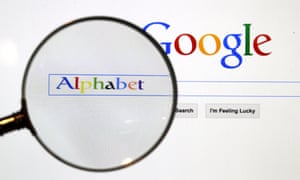
 Google Inc is changing its operating structure by setting up a new company called Alphabet Inc, which will include the search business and a number of other units.
Google Inc is changing its operating structure by setting up a new company called Alphabet Inc, which will include the search business and a number of other units. Photograph: PAWEL KOPCZYNSKI/REUTERS


Google is now Alphabet. Temporary Holding Company Number Two is now Google. And “don’t be evil” is now one step closer to being a thing of the past.


Following the corporate reshuffle at Google, the world’s largest search firm is now owned by a holding company called “Alphabet” – which, confusingly, was temporarily a subsidiary of Google but then executed a “reverse takeover” of its parent company to become the new boss, at which point Google spun off a number of its own subsidiaries such as its life sciences subsidiary Calico and “moonshot” division X to sit under Alphabet.
The end result is that the Google we all know and love still exists, but sits under an entirely new company, with a new name, new brand, new website – and new ethics policy.
When Alphabet was revealed, it was made clear that Google’s pre-existing ethics policy would only apply to the search firm itself, rather than its parent company. But now that Alphabet has revealed its own Code of Conduct, and the words “don’t be evil” are nowhere in sight.
Instead, the holding company has a rather less pithy set of requirements for its employees, including “avoid conflicts of interest”, “ensure financial integrity and responsibility” and “obey the law”.
That means that Google’s own companies, including YouTube and Android, are still run with a code of conduct that includes the command “don’t be evil” (as well as the less well-known statement that “we like cats, but we’re a dog company”), while the companies that sit directly under Alphabet aren’t.
Alphabet’s other subsidiaries such as X, the division in charge of the company’s balloon-powered internet drone delivery projects, will still have the ability to set their own codes of conduct, just as Google itself has. But the company itself leads on the highly catchy requirement that “Employees of Alphabet and its subsidiaries … should do the right thing – follow the law, act honorably, and treat each other with respect.”
It isn’t the first time Google has downgraded “don’t be evil” in its internal communications. In 2009, the company quietly dropped the line from “motto” to “mantra”, as part of a rebranding of its corporate PR – a far cry from the early noughties, where the phrase had even been included in the company’s 2004 intial public offering.

original title : Where Google said 'don't be evil', Alphabet just wants employees to 'obey the law'


WhatsApp Web - wanna use it?

Part 1 - Using Google Chrome & Android

This WhatsApp Web review (as we go on) is from an end-user perspective. I am a late WhatsApp user - just had a samsung smartphone with android version 4.2.2. I had opted to use WhatsApp Web, due to my physical shortcomings. You may like WhatsApp Web, if you like to try - here’s how, Kindly note that WhatsApp Web is browser based.

1] Checking your Browser.

Firstly, you have to check that your browser is ‘compatible’ with WhatsApp Web. As for me, I have been religiously using Google Chrome, for Chrome the version needed is minimum ver36 or above. To check your browser’s version – just key in whatversion.net in the navigation bar and once that page is fully loaded just press on the browser you are using, in my case the Chrome (for now I cannot advice you on the versions of other browsers need to operate WhatsApp Web) I am using is:-


2] to use WhatsApp Web - Follow this simple steps here:-
Open this site on your browser (by keying in the navigation bar)  
: - Web.whatsapp.com         
Open WhatsApp on you android (I am using Samsung)
In Chat tab, Go to WhatsApp Web menu and pressed it[the green buttons tell you where & how to get the relevant menu]


3] "Camera mode" will be activated automatically, scan the QR code on the screen with the phone, in the required location [square boundary on your phone], let the phone read the code, a scanning cursor is there as a guide. An Example of the QR code is given below. Please remember to “tick” where the green notification is, to avoid having to activate WhatsApp Web frequently.

Your phone need to be "on" and stay connected all the time, to the internet to use WhatsApp Web on PC.

<end of part 1>


Wednesday, January 21, 2015

Not to worry Facebook, will find you on your smart phones:

New Facebook Notifications Alert Users When They Not Currently Looking At Facebook

MENLO PARK, CA—In an effort to ensure constant engagement with the social media site, Facebook announced Monday that users would now receive notifications anytime they are not currently looking at Facebook. “We hope these helpful new alerts will improve our users’ experience by prompting them to revisit the site in the event they momentarily turn their focus elsewhere,” said Facebook CEO Mark Zuckerberg, adding that the site’s new technology is able to track where users’ attention is directed and remind them with steady beeping sounds that they are not currently interacting with Facebook. “The notifications will be integrated into both web and mobile browsing, and all users not currently on Facebook—or logged in but looking at a different tab—will immediately begin receiving push notifications, pop-ups, and emails warning them that they’re not on Facebook right now and should resume interfacing with it.” Zuckerberg went on to say that notifications informing users when they are currently looking at Facebook will be introduced by the end of the year.

source >>>

Monday, June 9, 2014

Data Point: Android Is on Pace to Take Over the World by 2015

The number of devices that will be shipped with GoogleGOOG +1.04%’s Android software is expected to overtake all other mobile and PC operating systems by 2015, according to data from the research firm Gartner that was compiled by Statista.
The number of devices running iOS and OS X is increasing as AppleAAPL +1.60% ships more iPhones, iPads and Macs around the world. But Apple’s operating systems are exclusive to Apple devices — there’s just one manufacturer, albeit a big one. Android can be used by any third party like Samsung, MotorolaMSI +0.01% and LG, for example. So it makes sense that there are going to be more Android devices, much like the flood of Windows PCs in the 1980s and ’90s.
If you’re wondering how the columns for “other” could be so tall considering they exclude Google, Apple and MicrosoftMSFT -0.51%, it’s partly because the data include the software running older mobile phones known as “feature” phones, or less-affectionately “dumphones.” In 2012, for example, 1.75 billion mobile phones were shipped; of these only 680 million were smartphones, Gartner has said. Smartphone sales didn’t overtake feature-phone sales until 2013. While Apple phones are still pretty pricey, the lower-end phone makers now have Android as an option.

Saturday, April 5, 2014

Windows Phone 8.1: When it’s coming, and how to get it.


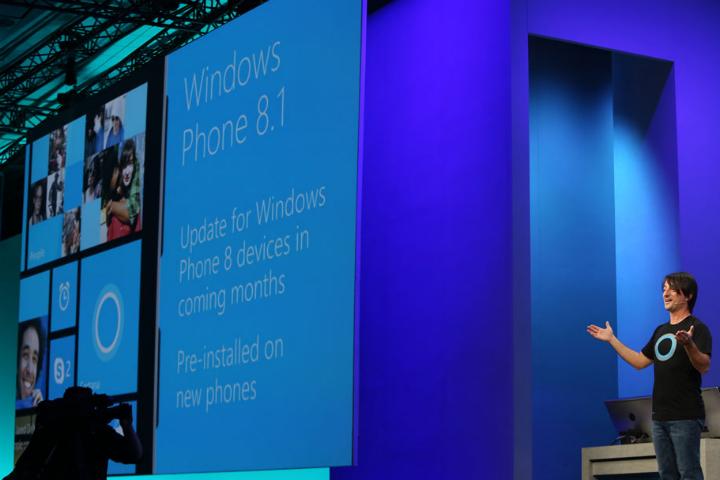
Windows Phone 8.1 Joe Belfiore


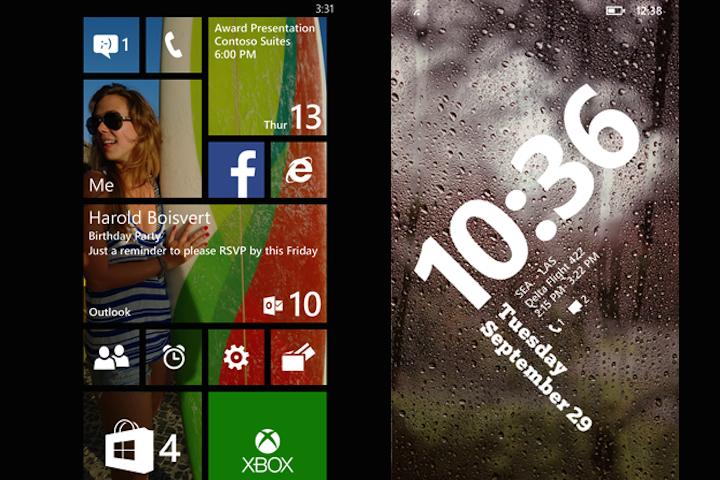
Microsoft has announced Windows Phone 8.1, its first major update to the Windows Phone mobile operating system, which introduces a virtual personal assistant named Cortana, several cool design tweaks, and a host of new features. If you’re wondering when it will arrive on your phone, or which phones about to go on sale will have the OS pre-installed, we’ve got all the information you need right here.

Microsoft says it’s coming soon

During the Build 2014 keynote, following a lengthy introduction to the software, Microsoft’s Joe Belfiore gave an approximate release timeframe for the update. How approximate? Simply that it will be out in the coming months. Not very precise, but then it’s not entirely down to Microsoft. The official line on new phones is that we’ll be seeing the first new releases during April or early the month after.

Networks start to announce their plans

Windows Phone 8.1 Start Screens
Sprint is the first to confirm its intention to distribute Windows Phone 8.1 soon. According to the network’s communications manager, the update will be coming to the HTC 8XT and the Samsung Ativ S Neo this summer.


Read more: http://www.digitaltrends.com/mobile/windows-phone-8-1-phone-update-list/#ixzz2y3Hw5tTC
Follow us: @digitaltrends on Twitter | digitaltrendsftw on Facebook

Monday, March 24, 2014

fixing the Internet?

Last week, the administration said the United States will begin negotiations to cede control of one of the Net’s most powerful institutions, the Internet Corporation for Assigned Names and Numbers, or ICANN. Currently overseen by the Department of Commerce, ICANN will be taken over by an international agency to be assembled later. The process is set to begin next week in Singapore, where the current ICANN members are scheduled to meet.

Who controls the Internet?
a short history & the future? 
Published on 24 Mar 2014

The Internet began as a Pentagon-funded project called ARPANET, a network linking computers in some American universities and government agencies. Eventually, it was opened up to become the world wide web, connecting everything from computers and mobile phones to tablets and video game consoles.No one government fully controls the Internet, but the US does regulate some protocols. Faced with pressures, it is now considering relinquishing some of it to global stakeholders.Al Jazeera's Gerald Tan reports.


Wednesday, February 19, 2014

Facebook To Buy WhatsApp For $19 Billion


Facebook announced on Wednesday afternoon that it had reached an agreement to buy popular mobile messaging startup WhatsApp for an upfront total of $16 billion, including $4 billion in cash and about $12 billion in Facebook shares.
Co-founder and CEO Jan Koum will join Facebook’s Board of Directors, but WhatsApp will continue to operate independently within Facebook, much like Instagram. The purchase price could rise to as much as $19 billion once you factor in an additional $3 billion in restricted stock units that will be granted to WhatsApp’s founders and employees vesting over four years.

full news here >>>


Thursday, January 2, 2014

Do Luv em! FF

Dear Firefox & You subscriber,

From the very beginning, Mozilla was built to be a movement, not a company.

We've always felt people should be in control of their online lives, not kept in the dark. We want the tools we build — like Firefox — to respect people, to care about their security and to protect their privacy.

That's why I chose to make Mozilla a non-profit. An open, accessible Web matters more than maximizing shareholder value.

The idea of putting people before profit is a powerful one. There are thousands of Mozilla volunteers and staff around the world who believe deeply in our mission and values. We are all building an Internet that puts the public good over profit. 

But we can't do this important work without the support of people like you. This is the only email we will send to you this year asking for a donation to support our work. Make your online gift to Mozilla right now.

Parts of the Internet will always be built by large companies. And that's good. That economic engine brings a lot of skill, energy and resources to bear, but it's not enough. 

We must also build the Web the world needs — an Internet where people come first. Whether it's profitable or not, it's the right thing to do.

What we've accomplished so far has been possible because tens of thousands around the world have joined and supported Mozilla. Just knowing that so many people share our vision and our commitment to users is both humbling and empowering. We would like to count you in.

I'm only sending one single email about the Mozilla Year-End Fundraising Campaign. That means you have just one chance to make a donation to support our important work.

The heart of Mozilla is a global community with a shared mission. That's what gives us power. That's what gives us impact. That's what makes us different — people like you who help us build the Internet the world needs.

Sincerely,

Mitchell


Mitchell Baker
Chair
Mozilla

Browser : Rockmelt has been acquired by Yahoo!

We’re excited to tell you that Rockmelt has been acquired by Yahoo!.
Yahoo! and Rockmelt share a common goal: To help people discover the best content from around the web. In our short four and a half years at Rockmelt, we’ve learned a lot about how you like to browse the web, discover content, and share the great stuff you’ve found. You’ve been right by our sides as we’ve celebrated successes, endured failures, and invented new ways of doing things. You’ve taught us a ton. And we plan to put everything we’ve learned to work at Yahoo!.
The truth is Rockmelt wouldn’t exist without you, our users. You showed us what it means to browse the web in today’s world. You made us go aww, lol, and hmm. And sometimes you confounded us, which gave us a good excuse to say wtf. Just by using Rockmelt, you made this opportunity possible. We can’t thank you enough for letting us into your daily lives and for believing in us. We will definitely keep you close to our thoughts, designs, and products in our new world.
For many of you, Rockmelt has become a daily habit and for that we’re eternally grateful… so we’ve kept all your valuables safe. In each of our products, you’ll find a tile to click on that initiates the export service. Your kept items will be exported as bookmarks and the feeds you follow as an OPML file. The Rockmelt apps and web product will be shutdown on August 31, 2013.
Our mission of exploring the web faster and in a fun way has not changed. We’re joining a fantastic team of people where we can have a much bigger impact, and we’re thrilled and honored to have the opportunity.
Thank you, thank you, thank you.
– Eric, Tim, and the Rockmelt Team

Tuesday, December 17, 2013

13 Best Firefox Add-ons of 2013

Every month, a committee of Firefox volunteers — who really, REALLY love Firefox Add-ons  — puts their time and effort into finding the best new add-ons. These add-ons are the little pieces of software that add functionality to your Firefox browser and help you customize Firefox to meet your needs and tastes. Can you see why these volunteers like them so much?
These were their top choices of each month in 2013, plus they picked one extra because, well, picking just one each month was hard!
URLlink
1) URL Link: Have you ever had an email that had a broken url across several lines? Or seen a textual link on a Web page that isn’t a clickable link? URL Link solves your problem by letting you select a string of text that isn’t a URL and open it as if it were a real, working link.

Click and Clean
2) Click and Clean: It’s like spring cleaning all the time, and on your browser! Delete your browsing history, temporary Internet files, download history and more. The CNET editors said “If you’re a Firefox user, and a fan of CCleaner, we highly recommend this free extension for easy access.” Not only do the professionals like it, the add-on also gets 5-star user reviews!

Clear Console
3) Clear Console: The developers of this add-on had a vision. “Our work demanded frequent deletion of browser history, cookies and cache and it was boring every time go to the preferences and clear them. So, we thought that an add-on would serve the purpose, not just for us, but for all those who need it.” Thanks to them, you can clear your history, HTML5 storage, cache, cookies and more with one click. (Be sure to thank them when you download it!)

 
Self Destructing Cookies
4) Self-Destructing Cookies: This add-on isn’t just a cookie manager, it’s a new cookie policy. It lets you delete cookies from any site automatically when you close the window or tab. Would you prefer your cookie jar to be empty, except for a few sites that you care about? Are you worried about unconventional tracking methods? Then give this add-on a try.

New Tab Plus
5) New Tab Plus: When you open a new tab, you can enhance that experience with added features and plugins, such as speed dial, cloud addition and cloud backup. (Plus, it’s based on HTML5!)

Video Resumer
6) Video Resumer: Usually, when you click through YouTube videos, they start from the beginning. No more! This add-on automatically resumes YouTube videos from where you played them last. Even if you restart your browser. Isn’t that better?

Reload Plus
7) Reload Plus: This one’s for the power users of Firefox. Now, you can supercharge your reload button and hot keys with new tasks!

Stylish
8) Stylish: Restyle your Web. This add-on lets you easily install themes and skins for Google, Facebook, YouTube, Orkut, and many other sites. You can even customize Firefox and other programs. Make the Web more beautiful for you.

Fastest Search
9) Fastest Search: Search and ye shall find – faster than ever. For example, Search plain text, whole-word, regular expression, in page(s) for current tab, all tabs or filtered tabs. And that’s just the beginning. Get searching!

Google Search Link Fix
10) Google/Yandex Search Link Fix: This extension prevents Google Search from modifying result links when they are clicked. Google Search makes some people unhappy when they change the result link when you click it. If, instead, you try to copy the link you get some gibberish instead of the actual link. This extension disables this behavior — on any Google domain — without having to configure anything. Simply install and enjoy!

S3 Google Translator
11) S3 Google Translator: Hola! Bom Dia! Want to add the power of Google Translate into your Firefox browser? This add-on supports translation of  selected text, an entered phrase or the whole Web page in more than 50 languages.

BluHell Firewall
12) BluHell Firewall: There are lots of add-ons for blocking ads, but some have extra features that you may not want or need. You just want to have a light-weight alternative. That’s BluHell Firewall!

X-Notifier
13) X-notifier: Know right away when “you’ve got mail!” X-notifier checks all of your Webmail accounts and notifies you about unread emails. It also supports some of your social channels, so you’re always on top of what your friends are saying.

These are just the top 13 of the year. There are thousands of add-ons to let you customize your Firefox. There’s also a Support page for you if you ever have questions about how to install or troubleshoot add-ons.
source here 

Thursday, November 7, 2013

Google launches voice search app

Published on 7 Nov 2013 | Google Voice Search aims to understand the context of requests, allowing follow-up questions to be asked on the same topic. This means someone asking about the current weather in Birmingham, for example, could then ask: "How do I get there?" - without reminding the device which city they are referring to. Google claim the new voice search is faster than its nearest rival, Apple's Siri facility, and also provides users with more detailed answers.


Experts Say Leave Twitter IPO to Professionals

Published on 7 Nov 2013 | Google Voice Search aims to understand the context of requests, allowing follow-up questions to be asked on the same topic. This means someone asking about the current weather in Birmingham, for example, could then ask: "How do I get there?" - without reminding the device which city they are referring to. Google claim the new voice search is faster than its nearest rival, Apple's Siri facility, and also provides users with more detailed answers.


Tuesday, November 5, 2013

Gmails top nine hidden features.

google gmail trucskMost tech-savvy email users have a Gmail account - but how many of them know its hidden features? Here's a list of the top nine tips. Most email users probably have a Gmail account, unless you're still using aol.com, in which case my first tip for you is to immediately set up a Gmail account.

But for everyone who already uses Gmail, there are a number of handy tips and features that you might not have come across yet. Here are the top nine.

1. Attachments

You know that feeling of sending an email and writing out "I have attached the document below"... and then realising you pressed send before attaching it? Well, with Gmail that feeling is a thing of the past.

It can recognise you have written 'attached' in the body of the text, and before you press send, a reminder message will pop up saying:

Did you mean to attach files? You wrote "I have attached" in your message, but there are no files attached. Send anyway?

All you have to do is press Cancel and you've avoided an embarrassing follow-up email ('Sorry, forgot to attach it. Here it is...'). Thank you Gmail.

2. Stars

Gmail has a star system so you can 'star' your most important emails and come back to them later. The standard star is a yellow one - but you can upgrade to add a selection of stars.

Go to the Gear box > Settings > Stars. You can now add in different coloured stars, for 1*, 2* and so on. If you make 2* red, then when you go back to your inbox and star a message it will still go yellow for 1*. But then, you can click for a second time and it will turn red!

Keep going so you can add in a selection of colours and then search your inbox for coloured stars later. If you want to search for 2* messages that are red, go to the search bar and type in:

has:red-star

This will bring up any emails with red stars on them.

3. Multiple email addresses

If you want to have multiple versions of your email address, you can just add in a full stop to your email address. Google will send the same emails to samjones@gmail.com to sam.jones@gmail.com.

If Sam wanted even more aliases, he could be s.amjones@gmail.com or any other variation.

Handy tip if you want to use multiple email alises to sign up to different web services or newsletters.

4. To-do lists

Why use Gmail just as a mail service when you can take it one step further and use it as a to-do list?!

All you have to do is click on Mail > Tasks and a small task bar will pop up at the bottom. Just fill in your to-do list and add in a due date if you want Gmail to remind you about it.

When you're done, tick the box in the corner to get a satisfactory line strike through your task.

5. Keyboard shortcuts
The most useful shortcuts are here below. Use regularly to save time. For a complete list just press ? whilst on your Gmail inbox and a box will pop up.

Ctrl + Enter means send message

Ctrl + . means advance to next window

Ctrl + Shift + c means add Cc recipients

Ctrl + Shift + b means add Bcc recipients

6. Advanced shortcuts

Gmail caters to the user's basic needs - but it also caters to the sort of user who wants personalised shortcuts. These can range from shortcuts to opening a new window to compose a message, to moving a conversation to the Bin.

To enable these extensive shortcuts, go to the Gear box in the top right corner > Settings > Keyboard Shortcuts > Keyboard shortcuts on > Save changes.

There you have it - your own list of shortcuts that looks something like this.

Top ones:

c - compose a new message

d - compose a message in a new tab

/ - puts a cursor in the search box

r - reply

# - move a conversation to Bin

7. Switching accounts

For those of you who are such big fans of Gmail that you have two accounts - fear not. You can access both on the same browser at the same time.

All you have to do is click on your email address in the top right corner, and select Add account. It will then take you to a separate tab where you can log into your other google account.

If you use Google Chrome it will remember this and save it as a permanent option for to swap to - but if you use any other browser you [may] have to add in the email address each time.

8. Faster loading

If you're loading Gmail on a slow Internet connection, it can take a few minutes. But - you can switch to a basic version of Gmail which will load faster and allow you to carry out basic actions.

To get there, just add ?ui=html to the standard Gmail URL. It should look like this:

https://mail.google.com/mail/?ui=html

9. Backup your messages

You may want to backup your most important messages. The easiest way to do it is to sign up for a backup email account, and then you can set up your Gmail account so it forwards emails into the primary Inbox.

Settings > Forwarding and POP/IMAP.

Once you're there just select 'Forward a copy of incoming mail to' and fill in your email address. Done.

source


Saturday, November 2, 2013

TIME Explains: The Deep Web

Published on 1 Nov 2013 | The FBI takedown of the online market Silk Road reveals the challenges of regulating the Deep Web. Here's what you need to know


Fujitsu Computer Systems Corporation